 blog
blog
Smart Security Camera Installation Services: What to Expect
Table of Contents
- What Smart Security Camera Installation Services Actually Include
- Security Camera Placement: Where Cameras Earn Their Keep
- Wired vs. Wireless Security Cameras: Which Fits Your Property
- Security Camera Recording and Storage Options
- Security Camera Network Requirements: Wi-Fi, Bandwidth, and Power
- DIY vs. Professional Installation: How to Decide
- Privacy, Permits, and Property Rules to Sort Out First
- Conclusion: Getting Your Camera System Right the First Time
- Frequently Asked Questions
Last Updated: October 7, 2026
What Smart Security Camera Installation Services Actually Include
Smart security camera installation services cover the full job: planning where each camera goes, mounting it, running or connecting it to power and your network, and configuring the app so alerts and recordings work.
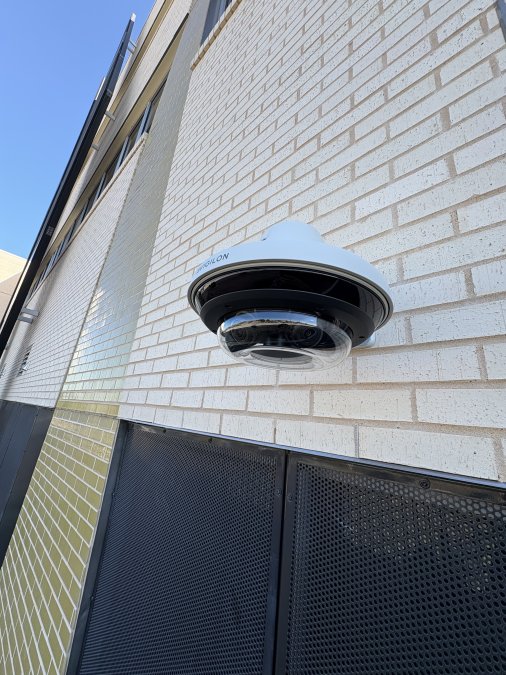
Most homeowners assume installation is just drilling a bracket into a wall. The planning is the part that decides whether your system actually protects your property or just records a nice view of your driveway.
Site Survey and Coverage Planning
A proper installation starts with a walkthrough, not a drill. We look at entry points, blind spots, lighting, and where your Wi-Fi actually reaches. That survey decides camera count and lens type before anything gets mounted.
Skipping this step is the most common mistake we see. A camera aimed at the wrong angle records hours of empty sidewalk.
Mounting, Cabling, and Configuration
Mounting, cabling, and configuration is where the physical work happens. Cameras get secured to walls, soffits, or ceilings, cables get routed and hidden where possible, and every device gets connected to your network and app.
One distinction matters here: low-voltage cables like Ethernet and camera power runs are not the same as line-voltage household wiring.
Security Camera Placement: Where Cameras Earn Their Keep
Security camera placement determines whether a system is useful or decorative. The goal is coverage of entry points and paths, not the most cameras possible.
Indoor and Outdoor Camera Positions
Outdoor cameras belong at doors, driveways, gates, and any ground-floor window that faces the street. Indoor cameras work best in hallways and common areas, not bedrooms or bathrooms.
- Front door, at face height or slightly above
- Driveway and garage entry
- Back door and patio access
Wall Mounting, Ceiling Mounting, and Field of View
Wall mounting suits perimeter coverage and gives a wide horizontal view. Ceiling mounting works better in hallways and covered patios, where a downward angle reduces glare and captures faces instead of the tops of heads.
Field of view matters more than resolution for most homes. A wide lens covers more ground but distorts distance; a narrower lens reads license plates and faces better. Most systems mix both.
Wired vs. Wireless Security Cameras: Which Fits Your Property
Wired security cameras are more reliable and wireless cameras are faster to install. Neither wins outright. The right choice depends on your home's layout, how much cable routing you can tolerate, and whether you want continuous recording or motion-triggered clips.
Wired systems use Ethernet or dedicated power runs, so they stay online during Wi-Fi outages and record continuously without battery swaps.
Factor | Wired Cameras | Wireless Cameras |
|---|---|---|
Reliability | Constant connection | Depends on Wi-Fi signal |
Installation effort | Higher, needs cable routing | Lower, minimal drilling |
Power source | Dedicated low-voltage run | Battery or nearby outlet |
Best for | Full-time coverage | Rentals, quick setups |
Security Camera Recording and Storage Options
Recording and storage decide how far back you can look, and they are the part of a camera system most homeowners under-plan. The two questions that matter are where footage lives and how long it stays there.
Local Storage: Recorders, Drives, and Memory Cards
Local storage keeps footage on a device inside your home, typically a network video recorder (NVR) or a digital video recorder (DVR) with a hard drive, or a memory card inside each camera.
- NVR systems record IP cameras over your network and usually support higher resolutions and more cameras.
- DVR systems work with older analog-style cameras and are common in retrofit situations.
- Memory-card cameras store clips on the camera itself, which is simple but means footage is lost if the camera is stolen or damaged.
A common pattern is to size the drive around how many days of footage you want on hand. More cameras, higher resolution, and continuous recording all consume drive space faster than motion-only recording at lower resolution.
Cloud Storage: Convenience With a Subscription
Cloud storage keeps footage off-site, so it survives a stolen camera, a damaged recorder, or a fire. The tradeoffs are ongoing subscription cost and dependence on your internet connection staying up.
Most cloud plans tier by how many days of footage you retain and how many cameras are covered. Motion-triggered clips use far less bandwidth and storage than continuous cloud recording, which is why many cloud plans default to event clips rather than 24/7 uploads.
Hybrid Setups: The Best of Both
Many of the systems we install combine both approaches: continuous recording to a local NVR for full history, plus cloud clips for motion events so you still have footage if the recorder is taken. This gives you a complete local record and an off-site backup without paying to upload every hour of empty driveway.
What to Check Before You Commit
- Does the recorder support the resolution and camera count you plan to run?
- Is the drive user-replaceable, or is it sealed?
- Does the cloud plan cover all cameras, or just a subset?
These are the questions that separate a system you will actually use from one that quietly stops recording three months in.
Security Camera Network Requirements: Wi-Fi, Bandwidth, and Power
Security camera network requirements come down to three things: signal strength, upload bandwidth, and a reliable power source for every device. Cameras are only as good as the connection behind them, and most "camera problems" we get called about turn out to be network problems.
Wi-Fi Signal Strength Where the Camera Actually Sits
A router that covers your living room may not reach the far corner of the garage or the back fence.
What we check during a site survey:
- Signal strength at each planned camera location, not just inside the house
- Whether the 2.4 GHz band reaches farther than 5 GHz at that spot
- How many other devices are already competing for airtime
If a location tests weak, the fix is usually a wired camera there or a network access point closer to the camera, not a higher-gain antenna bolted to a camera that still has to shout through a brick wall.
Upload Bandwidth: The Hidden Bottleneck
Every camera streaming to the cloud uses upload bandwidth continuously. A handful of cameras on a basic internet plan can saturate the upload side and slow everything else down, video calls, gaming, backups.
A few things to know:
- Continuous cloud recording uses far more upload than motion-triggered clips.
- Local recording to an NVR uses almost no internet bandwidth.
- Wired Ethernet connections to cameras keep that traffic off your Wi-Fi entirely.
If you plan to run several cameras with cloud recording, it is worth checking your plan's upload speed before you buy equipment.
Power: Battery, Low-Voltage, or Line-Voltage
Power is the other half of the equation, and it is where the low-voltage versus line-voltage distinction matters.
- Battery cameras need periodic charging. Convenient, but you have to stay on top of it, and cold snaps shorten battery life.
- Low-voltage wired cameras run on Ethernet (Power over Ethernet) or a dedicated low-voltage power run. This is the wiring we handle.
- Line-voltage work, adding a new outlet, running new household electrical circuits, or working inside a breaker panel, is a licensed electrician's job, not ours. We will flag it and coordinate, but we do not touch it.
Post-Installation Testing: How We Verify the System Works
A camera that streams to your phone on install day but drops alerts a week later was never really tested. Here is what a proper handoff for a security camera system often includes:
- Signal check at every camera after mounting, not before.
- Recording test, confirm each camera is actually writing to the recorder or cloud, and that motion events trigger clips.
- App setup, walk through live view, playback, notifications, and how to export a clip.
- Notification tuning, adjust motion zones so you are not getting pinged every time a car drives by.
- Labeling, name each camera in the app so "Front Door" is not "Camera 3."
- Handoff, leave you with a working system, not a pile of boxes and a login you have never used.
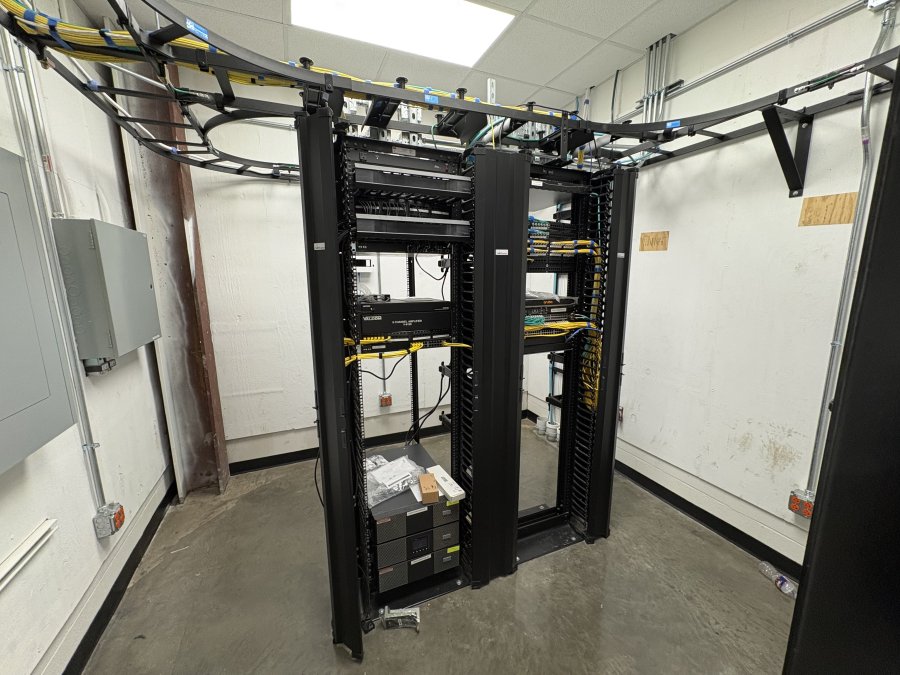
If your network is not ready for the cameras you want, the right answer is usually to fix the network first, add an access point, run Ethernet, or upgrade the plan, rather than to buy cameras that will underperform. All Around Technologies LLC handles the network cabling and camera installation together so the two actually work as one system.
DIY vs. Professional Installation: How to Decide
DIY installation makes sense for one or two wireless cameras on a strong Wi-Fi network. Professional installation makes sense when you want multiple cameras, hidden cabling, or coverage that actually holds up.
- Choose DIY if: you have one or two cameras, easy power access, and reliable Wi-Fi
- Choose professional if: you need four or more cameras, hidden wires, or outdoor runs that require routing through walls and attics
- Choose professional if: you want the system tested, labeled, and handed over working
The hidden cost of DIY is usually the cabling. Fishing wires through finished walls and attics without damaging drywall takes the right tools and a lot of patience.
Privacy, Permits, and Property Rules to Sort Out First
Camera placement has legal limits, and they vary by state and city. Point cameras at your own property, not a neighbor's window or a shared space where people expect privacy.
If you rent, get written permission from your landlord before mounting anything or drilling into the exterior.
Audio recording adds another layer. Some states require all parties to consent to being recorded, so check your state's rules before enabling a camera microphone.
Conclusion: Getting Your Camera System Right the First Time
A security camera system only protects your property when the placement, wiring, and network all work together. Getting that right the first time saves you from re-drilling holes and replacing cameras that never quite covered the right angle.
If you would rather hand the whole job to someone who does it every day, All Around Technologies LLC installs security camera systems, runs clean network cabling, and sets up the app so you can check your property from anywhere. We serve homeowners and businesses in Royse City, Rockwall, Fate, Greenville, Forney, Garland, Mesquite, and the surrounding communities.
Frequently Asked Questions
Where should security cameras be placed around a home or business?
Start with entry points: front doors, back doors, driveways, and side gates. For businesses, add registers, stockrooms, and loading areas. Aim cameras so each one covers a doorway plus the approach to it, and overlap fields of view so there are no blind spots. Mount outdoor cameras high enough to be out of easy reach, but low enough to capture faces rather than just the tops of heads. A professional site survey maps these angles before any drilling starts.
Are wired or wireless security cameras better?
It depends on the property. Wireless cameras are faster to install and easier to relocate, but they depend on strong Wi-Fi and, if battery powered, regular charging. Wired cameras using Ethernet or coax deliver steady power and a more reliable connection, which matters for 24/7 recording. Many homes and businesses run a hybrid: wired cameras at fixed points like entries, wireless cameras covering areas where running cable is impractical.
Do smart security cameras need Wi-Fi?
Most smart cameras use Wi-Fi for remote viewing, smart motion alerts, and app control, even when they record locally. That means your network needs to reach the camera's location, not just the room with the router. A camera at the far end of a driveway often needs a mesh node, access point, or hardwired connection. If your Wi-Fi already struggles in parts of the house, that is worth fixing before cameras go up.
How do security cameras record and store footage?
There are three common setups: local recording to an NVR or DVR with a hard drive, local storage on a camera's memory card, and cloud storage through a subscription. Local recording keeps footage on your property and usually avoids monthly fees, while cloud storage gives you off-site backup if equipment is stolen. Many systems mix both. Storage capacity depends on camera count, resolution, and how many days of footage you want to keep.