 Comparison
What Professional Camera System Installation Costs Really Cover
Last Updated: November 4, 2026
Quick Summary
Professional camera system installation cost is the total of equipment, labor, cabling, configuration, and the small parts that hold a job together. We recommend asking for an itemized quote so homeowners can see what they are paying for, because a lump sum hides which line items are included.
- Equipment covers cameras, recorder, hard drive, power supplies, and mounts; labor covers mounting, fishing cable, terminating, aiming, and testing.
- Wired security camera installation cost runs higher on labor than wireless because every camera needs a physical path back to the recorder.
- Wireless means no data cable, not no power, since most wireless cameras still need an outlet nearby.
- A camera system installation cost calculator can give you a planning estimate, not a quote, so never sign based on calculator output alone.
- Ask each bidder how many feet of cable per run they are pricing and what happens if the actual run is longer.
Table of Contents
- What Professional Camera System Installation Cost Includes
- Wired Security Camera Installation Cost: What Changes When You Run Cable
- Wireless Camera Installation Cost: Lower Labor, Different Tradeoffs
- Labor Cost to Install Security Cameras: The Variables That Move the Number
- Using a Professional Camera System Installation Cost Calculator
- How to Compare Itemized Installation Quotes Apples to Apples
- Ongoing Ownership Costs, Permits, and Privacy Considerations
- Schedule a Professional Camera System Installation Quote
- Frequently Asked Questions
What Professional Camera System Installation Cost Includes
Professional camera system installation cost is the total of equipment, labor, cabling, configuration, and the small parts that hold a job together.
Three categories drive the number:
- Equipment: cameras, recorder, hard drive, power supplies, mounts
- Labor: mounting, fishing cable, terminating connections, aiming and testing
- Materials: cable, connectors, conduit, junction boxes, fasteners
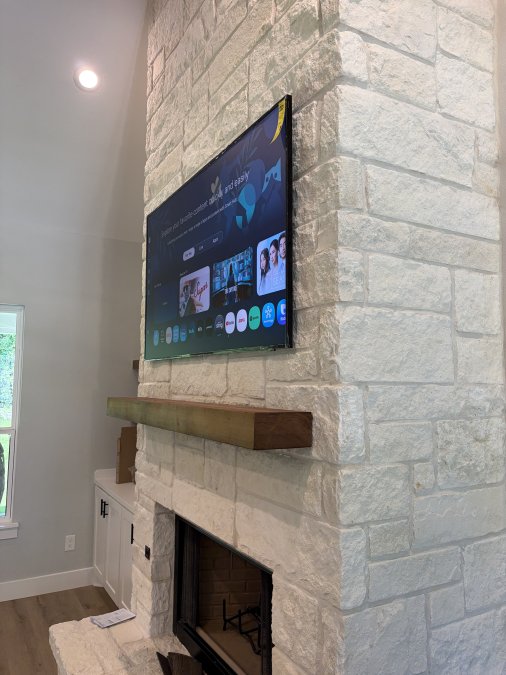
Equipment, Labor, and the Line Items Most Quotes Skip
Equipment is easy to compare: same camera model, same recorder, same size hard drive. Labor is where quotes diverge, because one installer may plan a two-hour job and another a two-day job for the same house.
Ask for these line items by name:
- Cable type and length per run
- Connector and termination labor
- Recorder setup and remote viewing configuration
A lump sum hides which of those is included. A professional camera system installation cost estimate should read like a materials list, not a sentence.
Wired Security Camera Installation Cost: What Changes When You Run Cable
Wired security camera installation cost runs higher on labor than wireless because every camera needs a physical path back to the recorder. For a deeper look at placement, wired versus wireless, storage, and network needs, see our smart security camera installation services guide.
What changes the number:
- Distance per run. A camera 60 feet from the recorder costs more in cable and time than one 15 feet away.
- Wall construction. Finished interior walls, brick veneer, and vaulted ceilings slow the work.
- Attic conditions. Summer attic heat makes for short, careful work windows.
Low-voltage cable like Ethernet is not the same as line-voltage electrical wiring. A standard power cord or extension cord should never be run inside a wall. If a camera location needs a new outlet, that is electrician work.
If your camera runs tie into a broader home network, our networking services cover the cabling side.
Wireless Camera Installation Cost: Lower Labor, Different Tradeoffs
Wireless camera installation cost is usually lower because there is no cable to fish. The camera mounts, pairs to Wi-Fi, and you are done, a real advantage.
The tradeoffs show up later:
- Signal strength. A camera at the far corner of the property may sit at the edge of Wi-Fi coverage.
- Power. Most wireless cameras still need an outlet nearby, so "wireless" means no data cable, not no power.
- Bandwidth. Several cameras streaming over Wi-Fi compete with everything else on the network.
A common mistake is buying wireless cameras for a large property and discovering the backyard camera drops offline.
Labor Cost to Install Security Cameras: The Variables That Move the Number
Labor cost to install security cameras depends on access, not camera count alone. Two homes with six cameras each can land far apart if one has an open attic and the other has a finished ceiling with no access panel.
The variables that matter most:
- Access. Attic, crawlspace, or basement paths shorten the job. No path means cutting and patching.
- Height. Two-story exteriors and gable peaks need ladders and fall protection, which adds time.
- Runs per camera. Each camera is its own cable run, so cost scales with count, not with the system.
Site Conditions, Property Size, and Camera Placement
Site conditions decide the schedule before anyone touches a drill. A single-story ranch with a walkable attic is a different job from a two-story with a brick exterior and no attic access over the garage.
Property size matters less than geometry. A compact lot with four cameras covering four corners can cost less in labor than a long, narrow lot needing six cameras for the same perimeter.
Residential Versus Commercial System Pricing
Residential and commercial systems are priced on different logic. A home system typically covers entry points, driveway, and backyard. A business system often adds coverage of registers, longer retention, and integration with an existing network.
Commercial project cost drivers by site type:
| Site Type | Main Cost Drivers |
|---|---|
| Small office | Camera count, network integration, user access |
| Retail | Coverage of registers, entrances, stockroom |
| Warehouse | Long cable runs, high mounting points, lighting |
| Multi-tenant | Separate accounts, shared recorder, cabling between units |
The pattern: commercial jobs carry more configuration and network work per camera than residential jobs do.
Using a Professional Camera System Installation Cost Calculator
A camera system installation cost calculator can give you a planning estimate, not a quote. Online calculators typically multiply camera count by an average per-camera figure and add a recorder, useful for budgeting, misleading for deciding.
What a calculator can approximate:
- Equipment totals for a given camera count
- Rough labor based on average run length
- Storage needs based on retention days and resolution
What it cannot see:
- Whether your attic is walkable
- Whether the wall you want a camera on is brick or siding
- Whether the recorder location has power and network
Use the calculator to set a range, then get an itemized quote for the real number. Never sign based on a calculator output alone.
How to Compare Itemized Installation Quotes Apples to Apples
Comparing quotes starts with matching scope, not totals. Two quotes for "six cameras" can cover very different work, so ask each installer to break the quote into the same line-item structure and compare row by row.
The anatomy of an apples-to-apples quote
A quote you can actually compare separates equipment from installation from everything else. Ask every bidder to follow this structure:
| Quote Section | What It Should List | Why It Matters |
|---|---|---|
| Cameras | Model, resolution, lens, quantity | Same count can mean very different hardware |
| Recorder and storage | Recorder model, hard drive capacity, retention target | Retention days drive drive size and cost |
| Cabling and materials | Cable type, estimated feet per run, connectors, conduit, junction boxes | The line most often left vague or bundled |
| Labor | Mounting, fishing cable, terminating, aiming, testing | Where two bids for the same house diverge most |
| Network and configuration | Switch or patch panel work, remote viewing, user accounts | Frequently excluded and added later as a change order |
| Finishing | Drywall patching, paint touch-up, cleanup | Small line, big surprise when omitted |
| Warranty and terms | Workmanship coverage, equipment coverage, payment schedule | Tells you who owns problems after install |
When a bid arrives as a single lump sum, you cannot tell which rows are included, reduced, or missing. A professional camera system installation cost estimate should read like a materials and labor list, not a sentence.
Reading the gaps between two bids
Put two quotes side by side and the lower total usually hides one of these:
- Fewer feet of cable per run. A bid that assumes short runs looks cheaper until the installer arrives and finds a longer path.
- No patching. If drywall repair is excluded, you are hiring and scheduling that separately.
- No configuration. Remote viewing, motion zones, and user accounts are labor, and labor left out of a quote comes back as a change order.
A quote dramatically lower than the others is almost always missing a line, not offering a better deal, find the missing row before you sign.
Questions that expose scope differences fast
Ask each bidder the same five questions and compare the answers, not the totals:
- How many feet of cable per run are you pricing, and what happens if the actual run is longer?
- Is drywall patching included, and who schedules it?
- Is remote viewing configured on my phone before you leave, or is that a separate visit?
- What is the retention target in days, and what hardware or subscription supports it?
- What does the workmanship warranty cover, and for how long?
If one quote is lower, find the missing line. It is usually patching, cable length, or configuration, the three lines that turn a low bid into a higher final invoice.
Ongoing Ownership Costs, Permits, and Privacy Considerations
The purchase price is not the last cost. A camera system keeps consuming money and attention after installation.
Storage: the recurring cost most people underestimate
Storage is the ongoing line that scales with how long you want to keep footage and how many cameras you run.
- Local recording. A recorder with a hard drive has no monthly fee, but the drive is a wear item. Surveillance drives are built for continuous writing and typically need replacement on a multi-year cycle. Plan for the drive, not just the recorder.
- Cloud subscriptions. Cloud plans recur monthly or annually, usually priced per camera and by retention length. Adding cameras later raises the subscription, so a plan that fits four cameras may not fit eight.
- Hybrid. Many systems record locally for full retention and use the cloud only for alerts or off-site backup, keeping the subscription small while preserving footage on-site.
Maintenance, repairs, and replacement cycles
Cameras live outdoors, and outdoors is hard on hardware. Budget for:
- Re-aiming after storms. Wind, hail, and branches move cameras. A camera pointed at the fence instead of the gate is a coverage gap, not a hardware failure.
- Connector and cable wear. Exterior connections take on water and sun. Properly sealed connections last longer, but they are not permanent.
- Recorder and drive service. Firmware updates, drive health checks, and occasional resets are part of ownership.
Network and cybersecurity: the hidden scope driver
A camera system is a network device, and the network side is where projects quietly grow. These requirements can materially change scope, so raise them before the quote, not after:
- PoE switch capacity. Power-over-Ethernet cameras draw power and data over one cable, but the switch has to have enough ports and enough power budget for the camera count. A switch that is one port short means a new switch.
- Bandwidth. Several cameras streaming continuously compete with everything else on the network. Older routers and switches can become the bottleneck.
- Network segmentation. Putting cameras on their own network segment limits what a compromised camera can reach. This is configuration labor, and it is worth asking whether it is included.
If your cameras will share a broader home or business network, our networking services cover the cabling and switch side of that work.
Permits, privacy, and compliance
Rules vary by city and by whether the work touches line-voltage wiring, so check with your local permitting office before assuming a job needs no approval.
On privacy:
- Point cameras at your own property. Aim them at your yard, entries, and driveway, not a neighbor's windows.
- Audio recording carries legal considerations. Many states have rules about recording audio, including consent requirements. If your cameras capture sound, understand those rules before you rely on the audio.
- Signage and workplace privacy. Businesses often post notice that cameras are in use, and employee areas such as break rooms and restrooms raise privacy considerations that a home system does not.
Budgeting for the ongoing side of a camera system is not glamorous, but it is the difference between a system still working in five years and one that gets unplugged because nobody planned for the drive, the subscription, or the network.
Schedule a Professional Camera System Installation Quote
The gap between a rough online estimate and a real number is almost always scope. A walkthrough settles it.
All Around Technologies LLC provides security camera installation for homes and businesses in Royse City and the surrounding areas. You can check our service areas to confirm we cover your city before requesting a quote. You can contact us to request a quote.
Frequently Asked Questions
What factors affect professional security camera installation costs?
The biggest drivers are the number of cameras, whether the system is wired or wireless, and how difficult it is to route cable through walls, attics, or soffits. Property size, camera placement height, and whether the site already has network cabling also matter. Commercial jobs add more because of larger coverage areas, multiple buildings, and network and cybersecurity setup. Always ask for an itemized quote so you can see how equipment, labor, and site conditions each affect the total.
Is wired or wireless security camera installation more expensive?
Wired installation usually costs more upfront because it involves running Ethernet cable, which takes more labor time and may require patching drywall or fishing cable through attics. Wireless cameras cost less to install since they often just need mounting and a Wi-Fi connection, but they depend on strong signal and may need battery changes or additional access points. For larger properties or businesses, wired PoE systems often deliver more reliable video and fewer long-term headaches.
How much does labor cost to install security cameras?
Labor is typically billed per camera or by the hour, and it varies with installation complexity. A simple indoor wireless mount takes far less time than running cable through a finished wall or mounting an outdoor camera 20 feet up. Ask your installer whether labor includes cable runs, patching, configuration, and remote viewing setup. Getting a written scope helps you compare quotes fairly instead of guessing why one bid is lower than another.
Can a handyman install security cameras?
A handyman can sometimes mount wireless cameras, but professional installation is safer when the job involves running low-voltage cable, drilling through exterior walls, or configuring a recorder and network. Low-voltage wiring is different from line-voltage electrical work, and any line-voltage connections should be handled by a qualified electrician. A professional installer also sets up remote viewing, motion detection, and storage so the system works correctly from day one.
Camera installation pricing is not a mystery once you know the line items. Get a walkthrough, get it itemized, and compare scope before you compare totals. Get started with All Around Technologies LLC and know exactly what your installation covers.