 ultimate-guide
Structured Wiring for Home Office: A Complete Guide
Table of Contents
- Why Structured Wiring for Home Office Beats Wi-Fi Alone
- What Structured Wiring Actually Includes
- Home Office Ethernet Wiring: Planning Your Runs
- Ethernet vs. Wi-Fi for Home Office: When Wired Wins
- Home Office Cable Management That Stays Tidy
- Installation Options: DIY vs. Hiring a Pro
- Future-Proofing Your Home Office Network
- Conclusion
- Frequently Asked Questions
Last Updated: October 16, 2026
Why Structured Wiring for Home Office Beats Wi-Fi Alone
If your workday includes dropped video calls, files that crawl across the network, and a Wi-Fi signal that vanishes the moment you close the office door, structured wiring for home office setups is the fix most people skip. Wi-Fi is convenient, but it shares airtime with every phone, tablet, streaming stick, and smart device in the house. A wired connection doesn't compete for that airtime.
Structured wiring is a planned cabling system that carries data, audio, and video signals through your walls to fixed wall outlets, rather than relying on wireless transmission. At All Around Technologies LLC, we install these systems for homeowners and businesses across Royse City, Rockwall, Fate, Greenville, Forney, Garland, and Mesquite, and the pattern is consistent: once a home office gets a dedicated wired drop, the complaints about video calls and slow transfers mostly stop.
Below, we'll walk through what structured wiring actually includes, how to plan your Ethernet runs, when wired genuinely beats wireless, and how to keep it all tidy. We'll also cover the DIY-versus-pro decision honestly, because it isn't the same answer for every house.
What Structured Wiring Actually Includes
Structured wiring is a unified cabling infrastructure that distributes data, voice, video, and audio signals from a central point to outlets throughout a building. Instead of running one cable for the internet and another for the TV, everything terminates in a single distribution panel, often called a structured wiring cabinet or media enclosure.
A typical home office setup includes:
- Category cable (Cat6 or Cat6a) for internet, network devices, and phones
- Coaxial cable for cable or satellite service
- Speaker wire for home audio and surround sound
- Fiber or high-capacity backbone cable for longer runs or future upgrades
- Patch panel and network switch at the central hub to route connections
- Wall plates and keystone jacks at each outlet location
One distinction matters more than any other here. Ethernet, coaxial, HDMI, and speaker wire are low-voltage cables. Standard household electrical wiring is line-voltage, and the two are not interchangeable. You should never run a standard power cord or extension cord inside a wall; that's a fire hazard and a code violation. If your office needs a new electrical outlet near the desk, that's a job for a licensed electrician, not a low-voltage installer.
Home Office Ethernet Wiring: Planning Your Runs
The best time to plan Ethernet runs is before drywall goes up, but retrofit work is entirely doable in finished homes with the right tools and patience. Planning comes down to two questions: where the outlets go, and what cable feeds them.
Where to Put Ethernet Outlets
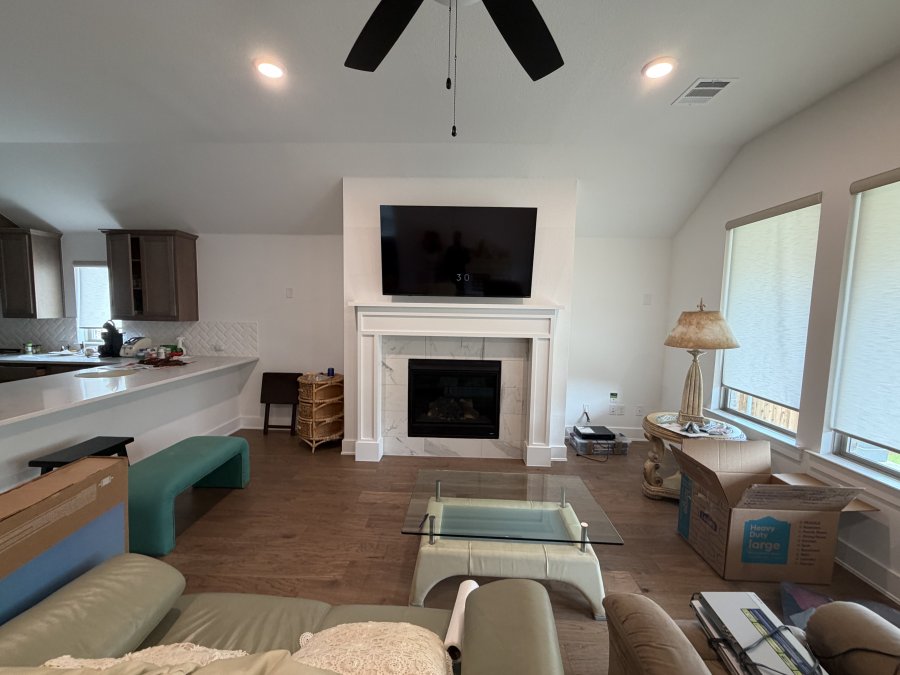
Put an Ethernet outlet everywhere a device will sit for years, not just where your desk is today. Think about the desk, a printer or NAS location, a wall-mounted TV, and any spot where a mesh node or access point might live. A good rule: if you'd be annoyed to move it in three years, wire it now.
Standard practice is to run cable to a wall box roughly 12 to 18 inches above the floor, matching your existing electrical outlet height, or higher if a desk or TV will block the lower position.
What Cables to Use
Cat6 handles most home office needs and supports multi-gigabit speeds over typical residential distances. Cat6a costs more but offers more headroom and better shielding against interference, which matters if you're running cable near electrical lines or through a noisy utility space.
| Cable | Typical Use | Best For |
|---|---|---|
| Cat6 | Standard data runs | Most home offices |
| Cat6a | Higher bandwidth, shielded | Long runs, interference-heavy areas |
| Coax | Cable/satellite TV | Living room, media wall |
| Speaker wire | Audio distribution | Surround sound, whole-home audio |
Run at least one spare cable to each location while the wall is open. The labor is the expensive part, not the cable.
Ethernet vs. Wi-Fi for Home Office: When Wired Wins
Wired wins whenever reliability matters more than convenience. Ethernet gives you a dedicated, full-duplex connection that doesn't degrade when the microwave runs or when three people start streaming. Wi-Fi wins for phones, tablets, and devices that move around.
Here's the practical breakdown:
- Use Ethernet for: video calls, large file transfers, cloud backups, gaming, and any desktop that stays put
- Use Wi-Fi for: phones, tablets, laptops that move between rooms, smart home devices
- Use both: a wired desktop plus a Wi-Fi access point in the same room gives you the best of each
If your problem is a dead zone in one specific room, a single wired drop feeding a Wi-Fi access point often solves it more reliably than a mesh system alone. That's the same principle behind the dead-zone fixes we handle as part of network cabling work: give the wireless signal a wired backbone to ride on, and coverage stops being a guessing game.
Home Office Cable Management That Stays Tidy
Cable management is what separates a professional install from a tangle of cords behind the desk. The goal is simple: no visible cable, no strain on connectors, and room to add a device later without redoing everything.
Practical approaches that hold up over time:
- In-wall runs for permanent connections, terminated at wall plates
- Raceway or conduit on the surface when opening the wall isn't practical
- Cable ties and Velcro straps to bundle runs behind the desk, never tight enough to pinch
- Labeled cables at both ends so the next change takes minutes, not an afternoon
- Service loops at each end, leaving a little slack for future adjustments
The labeling step is the one most people skip and later regret. When you add a device two years from now, a labeled patch panel turns a mystery into a five-minute job.
Installation Options: DIY vs. Hiring a Pro
DIY makes sense in a few narrow cases: you have an unfinished basement or attic with open access, you're comfortable with drywall repair, and you're running one or two short drops. Beyond that, the math usually favors a professional.
What a professional install brings:
- Clean, code-aware cable routing that keeps low-voltage and line-voltage lines separated
- Proper termination and testing so connections actually perform at rated speed
- Minimal drywall damage, with patching handled or coordinated
- A labeled, documented system you can maintain for years
Retrofit work in a finished home is where experience pays off most. Fishing cable through insulated exterior walls, navigating fire blocking, and finding a clean path to the attic or crawlspace are skills that take practice.
Future-Proofing Your Home Office Network
Future-proofing means designing for devices and bandwidth you don't own yet, without overbuilding for hypotheticals. The practical moves are straightforward.
First, run more cable than you need today. Extra drops to the office, living room, and any wall where a TV might hang cost little now and save a rewire later. Second, choose Cat6a or better for runs longer than typical room-to-room distances, since it holds up better as speeds climb.
Finally, think about what else shares the network. Security cameras, smart home hubs, and home audio systems all benefit from wired connections, and they're easier to add when the infrastructure already exists. If you're planning security camera installation or a home audio setup down the road, wiring for it now costs a fraction of retrofitting later.
Conclusion
A home office that depends entirely on Wi-Fi will always be at the mercy of whatever else is competing for the signal. Structured wiring removes that variable, and the planning is the hard part, not the cable itself.
If you'd rather hand the project to someone who does this every day, All Around Technologies LLC handles network infrastructure and Wi-Fi, hidden-wire TV installation, home audio and surround sound, and security camera installation for homes and businesses across the Royse City area. We plan the runs, keep the walls clean, label everything, and leave you with a system you can actually maintain.
Call Now to schedule a consultation and get your home office wired right the first time.
Frequently Asked Questions
What is structured wiring for a home office?
Structured wiring is a planned system of low-voltage cables, usually Ethernet, coaxial, and sometimes speaker wire, that runs from a central point to wall outlets throughout your home office. Instead of relying on Wi-Fi or loose cables, you get dedicated wired connections for computers, printers, phones, and video calls. It also makes it easy to add access points, security cameras, or a network switch later without fishing new cables through finished walls.
What cables do I need for a home office?
For most home offices, Cat6 Ethernet is the standard choice because it handles gigabit speeds and supports longer runs than older cable types. You may also want coaxial cable if your internet provider uses a cable modem, and speaker wire if you plan on adding audio. HDMI is common for connecting a monitor or TV, but it is a low-voltage signal cable, not a power cable. Never run a standard power cord or extension cord inside a wall; that requires an electrician and proper electrical work.
Is Ethernet better than Wi-Fi for a home office?
Ethernet is better for stationary devices that need consistent speed and low latency, like desktop computers, VoIP phones, and video conferencing setups. Wi-Fi is fine for phones, tablets, and guests. A wired connection removes interference from walls, microwaves, and neighboring networks. Many homeowners find that running Ethernet to their main work devices and using Wi-Fi for everything else gives the best balance of performance and flexibility.
Where should Ethernet outlets go in a home office?
Place outlets where your desk, printer, and any fixed equipment will sit, plus at least one on an opposite wall for flexibility. If you use a standing desk, put the outlet near the floor and leave slack for movement. Consider a ceiling outlet if you plan to add a wireless access point. It is easier to install extra runs during the initial project than to open walls later, so plan for more outlets than you currently need.
Can Ethernet and HDMI cables run inside a wall?
Yes, Ethernet and HDMI are low-voltage cables and can be run inside walls when done properly. Use in-wall rated cable, keep runs away from line-voltage electrical wires, and secure them to studs or conduit. Do not run a standard power cord or extension cord inside a wall; that is a fire hazard and violates electrical codes. If your project involves adding or moving electrical outlets, hire a licensed electrician for that part of the work.
How do I keep home office cables organized?
Start with a central patch panel or network switch so cables are labeled at both ends. Use velcro ties instead of zip ties to bundle cables without pinching them, and run cables through conduit or raceway where they are visible. Under the desk, a cable tray or sleeve keeps things neat. Label every run clearly so you can troubleshoot later. Good cable management also makes it easier to add or replace equipment without a mess.
Should I hire a professional to install home office network cabling?
Hiring a professional makes sense if you are uncomfortable cutting into walls, need multiple runs, or want the job done cleanly with proper wall plates and testing. A pro can also advise on access point placement and future-proofing. If you are handy and only need one short run, a DIY approach may work. For most homeowners who want reliable results without the hassle, professional installation is worth considering. All Around Technologies LLC serves the Royse City area and can help with network cabling and setup.