 How-to
7 Questions to Ask Local Network Cabling Contractors
Last Updated: October 30, 2026
Quick Summary
Local network cabling contractors install the physical wiring that carries data, voice, and video through a home or business, including running Ethernet cable, terminating connectors, installing patch panels, and testing each run. Before hiring one, compare written scopes on cable category, testing, and labeling rather than price alone.
- Ask which Ethernet category they recommend, such as Cat5e, Cat6, or Cat6a, and why.
- Confirm that every cable run will be tested and ask to see the results.
- Request a labeled port map so future troubleshooting is faster.
- Verify insurance and licensing, and get a certificate of insurance before work starts.
- Get the scope, timeline, and change-order process in writing before signing.
Table of Contents
- What Local Network Cabling Contractors Actually Do
- Residential Network Wiring vs. Business Cabling: What Changes
- Ethernet Cable Installation: Cat5e, Cat6, and Cat6a Explained
- The Network Cabling Installation Process, Step by Step
- Questions to Ask a Network Cabling Contractor Before You Hire
- How to Vet a Local Contractor: A Practical Checklist
- Booking Your Network Wiring Project With All Around Technologies LLC
- Frequently Asked Questions
What Local Network Cabling Contractors Actually Do
Local network cabling contractors install the physical wiring that carries data, voice, and video through a home or business.
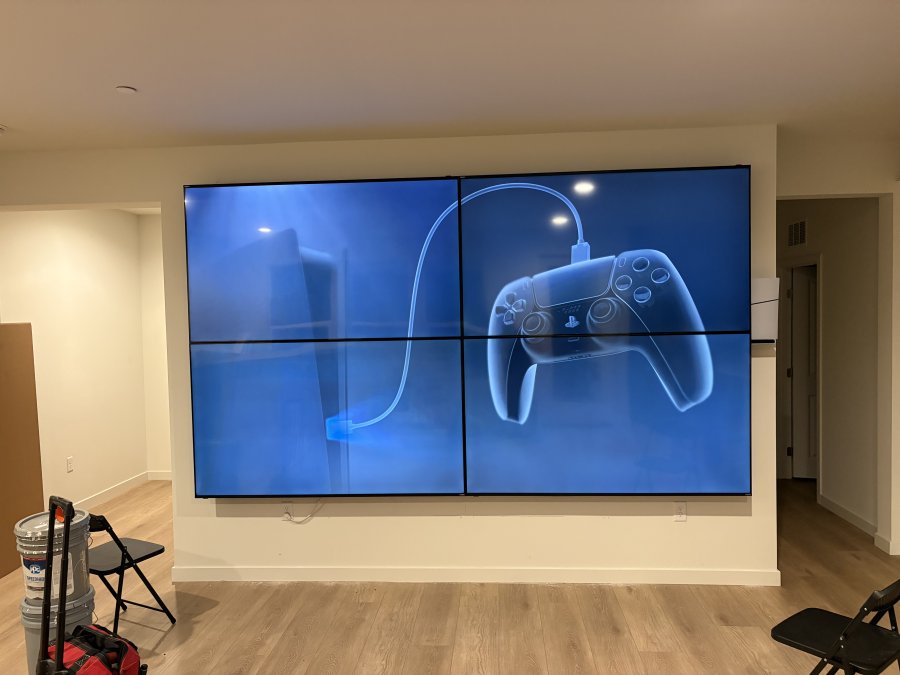
Cabling is the foundation under everything else. A wireless access point is only as good as the cable feeding it, and a smart TV, security camera, or office phone system depends on the same network.
A good contractor does more than pull cable.
Residential Network Wiring vs. Business Cabling: What Changes
Home and business cabling use the same basic tools and materials, but the planning differs.
The scale changes the layout. Commercial jobs often follow a documented structured cabling design, with each cable labeled, tested, and mapped to a specific port.
Business sites also face tighter uptime needs. A dropped connection can stop a point-of-sale system or a phone line, so businesses should ask about testing reports and future capacity.
Ethernet Cable Installation: Cat5e, Cat6, and Cat6a Explained
Ethernet cable comes in categories, and the category determines the speed and bandwidth it can support.
Choosing a category is a planning decision. Installing Cat6 or Cat6a in new construction or a renovation gives you room to upgrade without reopening walls.
Ethernet is a low-voltage signal cable, not a power cord.
The table below summarises the three Ethernet categories the article compares.
| Category | Best for | Key difference |
|---|---|---|
| Cat5e | Standard home internet | Works well for gigabit speeds over typical distances |
| Cat6 | New installs | More headroom than Cat5e |
| Cat6a | Business environments with heavier traffic | Higher performance over longer runs |
The Network Cabling Installation Process, Step by Step
A cabling project is mostly planning and verification, with the actual cable pulling in the middle. Knowing what each stage involves helps you judge whether a contractor is working methodically and gives you specific things to ask about before work starts.
1. Site survey and walkthrough
The contractor walks the property with you, notes existing wiring and equipment, and identifies where outlets and network gear should live. On this walk, expect questions about how you use each room, where the router or switch currently sits, and whether you plan to add devices later. The survey is also where access gets assessed: attic, crawl space, basement, drop ceiling, or conduit.
2. Cable-path planning and drop layout
Each outlet location is marked, and the route from that outlet back to the network closet or equipment location is mapped. Good planning keeps cable runs away from line-voltage electrical wiring where practical, avoids sharp bends that stress the cable, and respects the bend radius the cable manufacturer specifies. This is also where the cable category is finalized per drop and where you confirm whether plenum-rated cable is needed for ceilings or return-air spaces.
3. Routing and pulling
Cable is pulled through walls, attics, or crawl spaces along the planned paths. Expect the crew to protect floors and furniture, use fish tape or rods for enclosed cavities, and keep pulls organized so cables do not tangle or cross in ways that make termination harder. If a wall cavity is blocked by fire blocking or a header, the contractor should tell you before cutting anything and explain the alternative route.
4. Termination at outlets and patch panel
Each cable is terminated at the wall outlet and at the patch panel using the connectors and jacks specified for that cable category. Termination quality is where many do-it-yourself installs fail, a jack punched down incorrectly or a connector seated poorly can cause intermittent problems that are hard to trace later. Ask whether the same crew that pulls cable also terminates it; continuity of crew reduces handoff errors.
5. Testing and verification
Every run should be tested before the job is accepted. For copper Ethernet, that typically means a wire-map test to confirm pinout and continuity, and for higher-performance installs, a certification test that measures the run against the cable category's performance standard. Ask which tests will be performed and whether you will receive the results. A contractor who tests but does not share results is only halfway done.
6. Labeling and as-built documentation
Cables are labeled at both ends, and you receive a map that ties each outlet to a specific patch panel port. This documentation is what makes future troubleshooting fast, without it, every later change starts with tracing cables by hand. Ask for the port map in a format you can keep, whether printed or digital.
7. Handoff and walkthrough
The contractor walks you through the finished work, demonstrates that each outlet is live, and hands over the documentation. This is the moment to confirm that every drop on the quote is present and working, and to ask any questions about the labeling scheme before the crew leaves.
How long it takes
A small residential job with a handful of drops is often a single-day project. A larger home or a small office with dozens of drops, a patch panel, and a rack can run several days, and a full commercial build-out can take longer depending on access and building conditions. Ask for a written timeline that separates planning, installation, testing, and handoff so you know when each phase happens.
All Around Technologies LLC plans, routes, terminates, tests, and labels network cabling for homes and businesses in our service area. If you would like a written scope and timeline for your project, request a quote or schedule a consultation and we can walk the property with you before anything is ordered.
Questions to Ask a Network Cabling Contractor Before You Hire
Use these questions to compare contractors on equal terms:
- Which cable category do you recommend for this project, and why?
- Will you test every run, and can I see the test results?
- How do you label cables and document the layout?
A contractor who answers these clearly and in writing is more likely to deliver a clean, documented installation.
How to Vet a Local Contractor: A Practical Checklist
Most people hire a cabling contractor once or twice, so there is no muscle memory to fall back on. The goal of vetting is not to find the cheapest bid, it is to find the contractor whose written scope, documentation habits, and communication style match the job you actually need. Use the checklist below, and ask for answers in writing so you can compare bids side by side.
Verify the business basics
- Legal business identity. Ask for the exact business name and confirm it matches the name on the quote, the invoice, and any contract. A mismatch is a red flag.
- Insurance. Ask whether the company carries general liability insurance and workers' compensation coverage for the crew that will be in your building. You can request a certificate of insurance; a legitimate contractor will provide one without friction.
- Licensing where applicable. Low-voltage cabling rules vary by state and municipality, and some jurisdictions require a specific low-voltage or alarm contractor license. Ask what applies to your address and who holds it. If the project touches line-voltage electrical work, a new outlet, a dedicated circuit, a power run inside a wall, that work should be handled by a licensed electrician, not the cabling crew.
Compare the written scope, not the headline number
Two quotes for "20 drops" can describe very different jobs. Line up the bids against these items:
- Cable category specified per drop, Cat5e, Cat6, or Cat6a, and whether the category is consistent across the job.
- Jacket and plenum rating, whether cable rated for plenum spaces is required in your ceilings or return-air spaces.
- Drop count and locations, room-by-room, with outlet height and faceplate type noted.
A bid that lists a total without these line items is not comparable to one that does. Ask the contractor to fill in the gaps before you decide.
Ask for references that match your project
A reference from a large office build tells you little if you are wiring a small home office. Ask for two or three references from projects similar in size and building type to yours, and ask those references three specific questions: Did the crew show up when scheduled? Did the labeling and documentation match what was promised?
Confirm the testing and documentation you will receive
This is the single most overlooked part of vetting. Ask directly: "What will I receive at the end of the job?" A well-run cabling project typically hands over labeled cables at both ends, a port map that ties each outlet to a patch panel position, and test results for each run. If a contractor cannot describe what documentation you will get, that is your answer.
Check the warranty and service path
Ask what the workmanship warranty covers, how long it lasts, and how you request service if a run fails later. Get the answer in writing. A warranty that exists only in conversation is not a warranty.
If you would rather skip the comparison work entirely, All Around Technologies LLC is happy to walk your property, explain the cable category and routing plan in plain language, and put the scope in writing before any work begins. If your project also includes Network Infrastructure & Wi-Fi work or Home Automation controls, ask us about scoping those together.
Booking Your Network Wiring Project With All Around Technologies LLC
All Around Technologies LLC provides network infrastructure and Wi-Fi solutions for homes and businesses across our service area. If you are planning a new home office, a business network upgrade, or fixing dead zones, our structured wiring guide for home offices explains how a residential setup differs from a commercial one. You can also review our networking services to see what we offer for wired and wireless projects.
When you are ready to move forward, request a quote or schedule a consultation through our contact page. Before booking, you can check our service areas to confirm we serve your community. If you want to understand how wired and wireless coverage work together during installation, our Wi-Fi for remote work guide walks through the details.
Call All Around Technologies LLC to discuss your project and get a written quote tailored to your property.
Frequently Asked Questions
What does a network cabling contractor do?
A network cabling contractor plans, installs, and tests the low-voltage cabling that carries data, voice, and video through a home or business. Typical work includes running Ethernet cable through walls and ceilings, terminating cables at wall plates and patch panels, mounting network racks, and verifying each run with a cable tester. Good contractors also document the layout so you know where every cable ends, which makes future changes and troubleshooting far easier.
Can Ethernet cables be run inside walls?
Yes. Ethernet is low-voltage data cable, and running it inside walls is a standard part of residential and commercial network wiring. It is different from line-voltage electrical wiring, which should only be handled by a licensed electrician. Whether your project needs permits or must meet specific fire-rating or local code requirements depends on your jurisdiction, so ask your contractor how they handle those details before work begins.
How do I choose a network cabling contractor?
Start by confirming the contractor installs structured cabling for homes or businesses in your area, not just occasional Wi-Fi setups. Ask for references, check how they document their work, and make sure they test every run and provide a written quote that lists the scope. Compare several local companies, and be cautious of very low bids that leave out testing, labeling, or cleanup.
When should I hire a professional to install network cabling?
Hire a professional when you need cable run through finished walls, ceilings, or multiple floors, when you want reliable wired connections for a home office or business, or when you need consistent performance across several rooms. DIY cabling can work for a few short, visible runs, but professional installation usually saves time, reduces the risk of damaging existing wiring, and gives you tested, documented results. All Around Technologies LLC can provide a quote based on your home or office layout.