 How-to
How to Mount a TV on Metal Studs Safely
Last Updated: October 25, 2026
Quick Summary
How to mount a TV on metal studs safely requires using self-tapping sheet metal screws driven directly into the studs, locating at least two studs with a stud finder, and using a plywood backing board for heavier TVs or full-motion mounts to distribute the load across multiple fastening points.
- Use 10 or 12 self-tapping sheet metal screws, 1-1/4 to 2 inches long, driven into the stud web rather than toggle bolts or hollow-wall anchors
- Locate metal studs with a magnetic or electronic stud finder rated for metal detection, typically spaced 16 or 24 inches apart
- Attach a 3/4-inch plywood backing board spanning at least three studs for heavy TVs, full-motion mounts, or flexing studs
- Always drill pilot holes slightly smaller than the screw's minor diameter and drive screws until snug without over-tightening
- Never run power cords inside walls; only low-voltage cables like HDMI, Ethernet, and speaker wire can be concealed in-wall
Table of Contents
- Why Metal Studs Require Different Mounting Strategies
- How to Find Metal Studs Behind Drywall
- Checking Your TV Weight and Mount Compatibility
- Metal Stud TV Mounting Anchors and Fastener Selection
- Mounting a TV on Metal Studs With Plywood Reinforcement
- How to Hide TV Wires in Wall Safely
- Professional Installation for Your Metal Stud TV Mount
- Frequently Asked Questions
Why Metal Studs Require Different Mounting Strategies
Metal studs are fundamentally different from traditional wooden studs. They're hollow, which means standard fasteners won't hold like they would in wood.
This is where many DIY attempts fail, which is why learning how to mount a TV on metal studs safely requires the right approach and fasteners.
Metal stud framing is common in newer homes, commercial buildings, and renovation projects, which is why understanding how to mount a TV on metal studs safely is essential for many homeowners.
How to Find Metal Studs Behind Drywall
Finding metal studs is your first step. A standard stud finder works for both wood and metal, but metal studs respond differently than wood to some tools.
Use a magnetic stud finder or an electronic one rated for metal detection. Run it slowly across the wall in a horizontal line.
Mark the edges of each stud with a pencil as you find them:
- Slide the finder horizontally across the wall
- Mark where the detector activates and deactivates
- Note the stud's center point (usually 1.5 inches wide for standard metal studs)
Once you've located the studs, measure the distance between them. Most metal stud TV mounting will involve fastening into at least two studs for proper support.
Checking Your TV Weight and Mount Compatibility
Your TV's weight and your mount type determine how many fasteners you need and what kind. This step isn't optional, it's the foundation of a safe installation.
Find your TV's weight in the manual or manufacturer's website. Look for the weight without the stand. Then check your mount's weight capacity.
Here's what to verify:
- TV weight (without stand or base)
- Mount's maximum weight rating
- Mount type: fixed, tilting, or full-motion
Full-motion mounts place more stress on fasteners than fixed mounts because of the dynamic movement.
Metal Stud TV Mounting Anchors and Fastener Selection
This is where the real difference shows between a solid installation and one that fails. The single biggest mistake is treating every metal stud as the same.
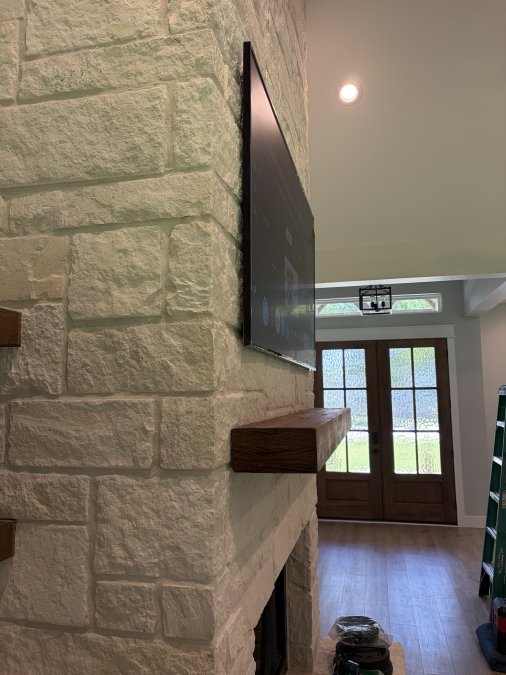
Know your stud before you choose a fastener
Metal studs are described by gauge number, common interior framing runs from about 25 gauge (lightest) up to 12 gauge (heaviest). A lower gauge number means thicker steel. A 25-gauge stud flexes under hand pressure; a 20-gauge or heavier stud feels rigid.
Also note the stud profile. Standard C-shaped studs have a flat web you can fasten into. Some assemblies use narrower or slotted studs where a screw has less material to bite.
Fastener options and when each is appropriate
For metal studs, you have two main families of fasteners, plus backing methods:
- Self-tapping sheet metal screws cut their own threads into the steel stud. Use #10 or #12 screws with enough length to pass through the drywall and grip the stud web, typically 1-1/4 to 2 inches depending on drywall thickness. These are the preferred fastener when you can hit the stud directly.
- Toggle bolts expand behind the drywall to spread load over a larger area. They are a fallback for spots between studs or where a screw won't bite, not a substitute for hitting studs on a heavy TV.
- Snap toggles and strap toggles are heavier-duty hollow-wall anchors that some mount manufacturers approve for drywall; check the mount's instructions before relying on them.
Match the fastener to the load, not just the TV weight
A common shortcut is to pick fasteners by TV weight alone. That misses the leverage a full-motion mount creates. When a mount arm extends the TV away from the wall, the pull-out force on the top fasteners can be several times the TV's static weight. A fixed mount keeps the load close to the wall; a full-motion mount multiplies it.
Use this decision guide as a starting point, then confirm against your mount's manual:
| Situation | Fastener approach |
|---|---|
| Light TV (under ~40 lbs), fixed mount, solid studs | #10 self-tapping screws into at least two studs |
| Mid-weight TV, fixed mount | #12 self-tapping screws into at least two studs, four points |
| Mid-weight TV, full-motion mount | #12 screws into studs plus a plywood backing board to spread leverage |
| Heavy TV or long-arm mount | Backing board across multiple studs; consider professional assessment |
| Studs flex or spacing is irregular | Backing board or added framing before mounting |
Pilot holes and driving screws correctly
Always drill a pilot hole slightly smaller than the screw's minor diameter. This keeps the screw from walking across the stud face and helps it bite cleanly into the steel. Drive screws until snug, over-tightening strips the thin steel and destroys holding power.
When in doubt about stud gauge, anchor approval, or load, that's the point to bring in a professional rather than guess.
Mounting a TV on Metal Studs With Plywood Reinforcement
For heavier TVs, full-motion mounts, or walls with widely spaced or flexing studs, a plywood backing board is the most reliable way to spread load across the framing. This is the step most DIY guides skip, and it's where a marginal install becomes a safe one.
Why a backing board works
A mount bolted to two studs concentrates all the TV's weight and the mount's leverage on a few fasteners. A plywood panel fastened across several studs turns the wall into a broader load-sharing surface: the panel distributes force across every screw holding it to the framing, and the mount then attaches to the panel. The studs still carry the load, the plywood simply spreads it out.
Sizing and attaching the board
- Locate and mark your metal studs, confirming spacing (commonly 16 or 24 inches on center).
- Cut 3/4-inch plywood large enough to span at least three studs and cover the mount's footprint with margin, a common minimum is about 16 inches tall by the width needed to reach three studs.
- Position the board over the studs and mark screw locations along each stud.
- Drill pilot holes through the plywood and into the steel stud webs.
- Fasten with #12 self-tapping screws spaced roughly every 6 to 8 inches along each stud, not just around the perimeter, screws only near the edges leave the center unsupported.
- Attach the mount bracket to the plywood using the mount manufacturer's bolts, following their torque guidance.
When plywood is the right call, and when it isn't
A backing board is appropriate when:
- The TV is heavy or the mount is full-motion with a long arm.
- Studs are spaced wider than the mount's bracket can reach.
- Studs flex or you can't confirm their gauge.
It is not a fix for a wall with damaged framing, water intrusion, or concealed services you haven't located. And if the wall is concrete-backed or the framing is structural steel, the approach changes, that's a job for a professional assessment rather than a plywood patch.
Verify before you hang the TV
After the board and bracket are up, do a load check before mounting the TV:
- Push and pull firmly on the bracket in all directions. There should be no flex, creak, or movement at the fasteners.
- Re-check every screw for snugness; back out and replace any that spin.
- Confirm the bracket is level with a spirit level, not by eye.
If anything moves or looks stressed, stop and reinforce before hanging the TV. A few minutes of verification prevents the most common failure, a mount that seems fine until the TV's weight and motion work it loose over time.
How to Hide TV Wires in Wall Safely
After your mount is secure, you'll want to hide the cables.
Low-voltage cables like HDMI, Ethernet, and speaker wire can run inside walls safely. These carry signals, not electrical current.
For your TV setup, run only the signal cables in-wall:
- HDMI cables from your media device to the TV
- Ethernet cable for smart TV features
- Speaker wires to surround sound speakers
Keep power cords outside the wall. Route them along the baseboard or through a cord cover.
Before cutting into drywall, check for electrical wiring, plumbing, and HVAC ducts.
For detailed guidance on concealing cables safely, learn more about hiding TV wires in wall after your mount is complete.
Professional Installation for Your Metal Stud TV Mount
Many homeowners find that metal stud mounting is worth hiring a professional for. The stakes are high, a failed mount means a damaged TV and potential injury.
We at All Around Technologies LLC handle metal stud TV mounting regularly. We also manage the cable routing so your installation looks clean and professional. Learn more about our TV mounting service to see how we handle metal stud installations from start to finish.
If you're not comfortable with power tools or drilling into studs, or if your TV is particularly large or heavy, professional installation removes the guesswork. Learn what professional TV mounting includes and how it simplifies the process.
For homeowners in the area ready to move forward, contact us for a consultation. We'll assess your wall, discuss your TV size and mount type, and handle the installation so you can enjoy your setup with confidence.
Frequently Asked Questions
Can you mount a TV directly to metal studs without additional support?
You can attach directly to metal studs using self-tapping screws designed for metal framing, but only if your mount bracket is rated for the TV's weight and the studs are properly located. Most installations benefit from a plywood backing plate to distribute weight more evenly and provide a more forgiving surface for fasteners. Always verify the stud gauge and your mount's load capacity before proceeding.
What anchors should you use for a TV mount on metal studs?
Self-tapping screws designed for metal studs are the primary choice for direct fastening. Toggle bolts work in hollow sections between studs but are less reliable for heavy TVs. When using a plywood backing plate, you can use standard wood screws into the plywood, which then attaches to the metal studs with self-tapping fasteners. Always match your fastener to both the stud thickness and your mount's weight specifications.
How do I know if my metal studs can support my TV?
Check your TV's weight and your mount bracket's load capacity first. Metal studs come in different gauges; thicker studs support more weight. If you're attaching directly to studs, locate at least two studs and confirm they're the right gauge for your fasteners. A plywood backing plate increases safety by spreading the load. When in doubt, consult your mount's documentation or contact a professional installer to verify your wall can handle the installation safely.
Should a TV mount attach to one metal stud or two?
Two studs are always preferable for stability and weight distribution. If your mount bracket spans two studs, you can attach at multiple points, reducing stress on any single fastener. Attaching to a single stud is possible only for smaller TVs with lower weight ratings. Most quality mounts are designed to attach across multiple studs, so plan your wall layout before purchasing your bracket.
Metal stud TV mounting is achievable as a DIY project if you understand the differences from wood stud installation. The key is using the right fasteners, locating the studs accurately, and respecting the weight limits of your equipment. For larger TVs, full-motion mounts, or if you'd prefer expert installation, we're here to help. Reach out to All Around Technologies LLC for a professional assessment and installation that ensures your TV stays secure for years to come.