 Ultimate guide
Professional Home Theater System Design Guide
Quick Summary
Professional home theater system design starts with the room rather than the equipment, planning seating, sightlines, acoustics, and cable routes before choosing a TV, receiver, or speakers. A designed system accounts for how the household will actually use the space. This approach helps avoid the fit problems that often affect DIY setups.
- Measure the room and confirm viewing distance, seat height, and screen placement before ordering equipment.
- Position speakers to match the seating layout and room shape rather than wall space.
- Route HDMI, Ethernet, and speaker wire before drywall goes up for a cleaner finish.
- Test subwoofer positions by playing bass-heavy content from the main seat.
- Verify room dimensions on site, since design software is only as accurate as the measurements entered.
Table of Contents
- How Professional Home Theater Design Differs From a DIY Setup
- Planning Your Home Theater Room Layout
- Home Theater Speaker Placement and Surround Sound Configuration
- Home Theater Screen Size and Viewing Distance
- Comparing the Core Components of a Home Theater System
- Using Professional Home Theater System Design Software
- Low-Voltage Wiring, Cable Runs, and When to Hire a Professional
- Booking Your Home Theater Design Consultation With All Around Technologies LLC
- Frequently Asked Questions
How Professional Home Theater Design Differs From a DIY Setup
A professional home theater system design starts with the room, not the equipment. To see what a professional home theater installation typically involves, read our home theater installation cost breakdown.
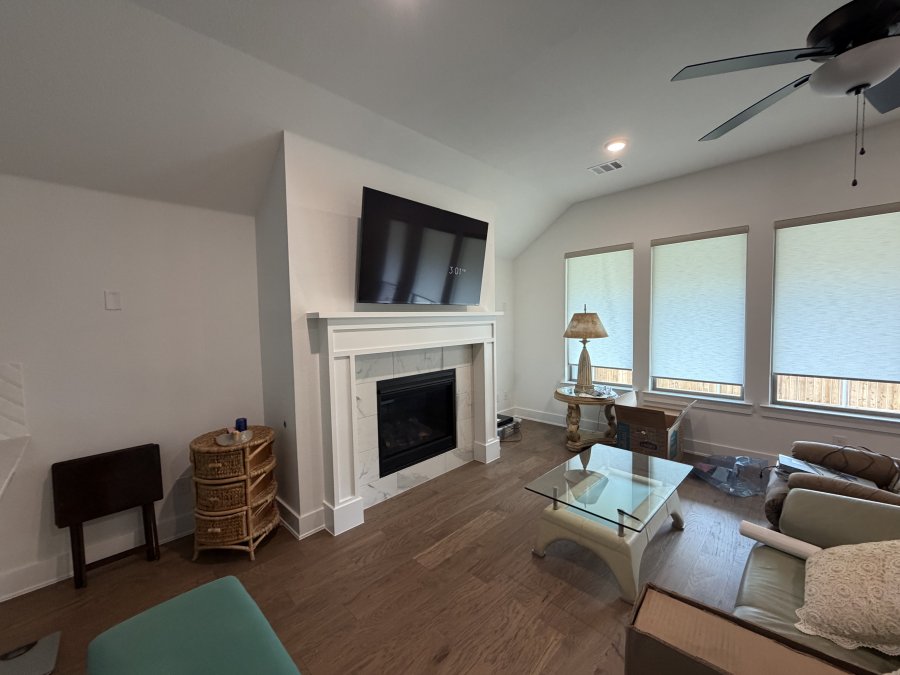
At All Around Technologies LLC, we treat a home theater as a connected system. The screen, audio, lighting, and wiring all affect each other, so a change in one area usually affects the others.
The difference shows up in a few practical areas:
- Room measurement and sightlines: A designer confirms viewing distance, seat height, and screen placement before anything is ordered.
- Speaker placement: Speakers are positioned to match the seating layout and room shape, not just placed wherever there is wall space. For a full walkthrough of home audio system installation for your room, see our homeowner guide.
- Cable planning: Low-voltage runs for HDMI, Ethernet, and speaker wire are routed before drywall goes up, so the finished room looks clean.
- Control and usability: The system is configured so the household can operate it without calling for help every week.
A DIY approach can work for a small room with simple needs.
Planning Your Home Theater Room Layout
Room layout drives every other decision in a home theater project. Before choosing equipment, measure the room's length, width, and ceiling height, and note the location of doors, windows, and any HVAC returns.
Start by identifying the primary viewing position. This is the seat or row where most people will watch.
Consider these layout factors:
- Window placement: Windows bring in glare that washes out the picture. A room where windows can be covered or sit behind the viewer works best.
- Wall flatness and construction: Mounting a TV or in-wall speaker requires a wall that can take the load and has a clear path for cables behind it.
- Seating arrangement: Plan for the number of seats you need now and any future additions, then leave walking paths between rows.
- Equipment location: Receivers, streaming devices, and network gear need a ventilated spot, often a closet or cabinet, with cable runs to the display and speakers.
A practical tip: mark the planned screen and seating positions on the floor with painter's tape and sit in them for a few evenings.
Home Theater Speaker Placement and Surround Sound Configuration
Speaker placement has a larger effect on sound quality than most equipment upgrades. A modest system placed correctly will often sound better than an expensive system placed poorly.
The general goal is to place speakers so their distance and angle to the main listening position are consistent. When distances vary widely, sound arrives at different times, which blurs dialogue and effects.
Front, Center, and Surround Speaker Positions
For a standard surround layout, the front left and right speakers sit at roughly equal distances from the screen, angled toward the main seating position. The center speaker sits directly above or below the screen and carries most of the dialogue. Surround speakers are typically placed on the side or slightly behind the listening position, at about ear height when seated.
Keep these placement guidelines in mind:
- Position the center speaker at the same height as the ear when seated, with the screen above or below it.
- Place the front speakers so they form an equilateral triangle with the main seat when possible.
- Mount surround speakers at or just above ear level, avoiding a position directly behind a single seat that makes the effect sound uneven.
- For in-wall or in-ceiling speakers, confirm the location with the installer before cutting into drywall, since studs and wiring can limit options.
Subwoofer Placement and Room Acoustics
Subwoofers are the most placement-sensitive component in the system. Bass builds up and cancels in predictable ways depending on where the sub sits in the room.
Room acoustics also affect the final sound. Hard surfaces like bare floors, large glass areas, and empty walls reflect sound and can make dialogue harder to understand. Adding rugs, upholstered seating, drapes, or acoustic panels at reflection points tends to tighten the sound.
Home Theater Screen Size and Viewing Distance
Screen size should match the distance between the screen and the main seating position.
A common starting point is to compare the screen's size to the viewing distance, aiming for a screen that fits comfortably within the field of view from the main seat.
Keep these factors in mind when choosing a screen size:
- Viewing distance: Measure from the main seat to the screen, not from the room's back wall.
- Seating height: The screen center should sit near eye level when seated, which often means mounting higher than people expect.
- Content and use: A family room used for daily TV may suit a different size than a dedicated movie room.
- Room light: Bright rooms may need a brighter display or a size adjustment to keep the image visible.
Once the size is settled, the mounting method matters as much as the measurement. Our TV Mounting service can position the display for your seating layout.
Comparing the Core Components of a Home Theater System
A home theater system combines several components, and each has a different job. Choosing them as a set, rather than one at a time, keeps the system balanced.
| Component | Primary Role | Key Consideration |
|---|---|---|
| Display (TV or projector) | Shows the picture | Screen size, brightness, and room light |
| AV receiver or amplifier | Decodes and powers audio | Channel count and HDMI connections |
| Speakers (front, center, surround) | Produce sound | Placement, matching tone, and room size |
| Subwoofer | Reproduces low bass | Placement and room acoustics |
| Source devices | Streaming, Blu-ray, or cable boxes | HDMI compatibility and updates |
| Control and network | Operation and connectivity | Ease of use and wired backbone |
Pricing depends on brand, features, and quantity, so request a current quote from All Around Technologies LLC. A designed system also considers how components will connect, which leads directly to cabling.
Using Professional Home Theater System Design Software
Professional designers often use planning software to model the room before installation. These tools let a designer place speakers, screens, and seating in a 3D view, check sightlines, and estimate cable runs.
Design software is most useful for:
- Testing screen and seat positions against the room's real dimensions
- Visualizing speaker placement and checking for uneven distances
- Planning cable routes so wiring is consistent with framing
- Sharing a clear plan with the homeowner before any work begins
Software outputs are only as accurate as the measurements entered, so verify the room dimensions on site. A reputable designer will walk the room, confirm the framing, and adjust the plan based on what they find.
Low-Voltage Wiring, Cable Runs, and When to Hire a Professional
Home theater wiring falls into two categories. Low-voltage cables carry signals and include HDMI, Ethernet, and speaker wire. Line-voltage wiring carries household electrical power.
Low-voltage cabling is where professional planning pays off. Our guide helps you decide whether structured wiring is worth it for your home. For practical guidance, see steps to running cables through old walls.
Consider professional help when:
- Walls must be opened to route cables, or in-wall speakers are part of the plan
- The room needs structured wiring for multiple displays, speakers, or network connections
- Any work involves line-voltage power, outlets, or dedicated circuits, in which case a licensed electrician should be hired and local code requirements checked
Structured wiring is worth considering when a home needs reliable connections across several rooms, or when the home theater, network, and security devices all depend on the same backbone.
Booking Your Home Theater Design Consultation With All Around Technologies LLC
If you are planning a home theater, a design consultation is the most useful first step. At All Around Technologies LLC, we measure your room, discuss how you watch and listen, and recommend a layout, component mix, and wiring plan that fits your space and budget.
Our service area includes Royse City, Rockwall, Fate, Greenville, Forney, Garland, Mesquite, and surrounding communities. Contact All Around Technologies LLC to schedule a consultation and request a quote for your project.
Frequently Asked Questions
How do you design a home theater system?
Start with the room, not the equipment. Measure the space, decide where the seating and screen will go, and plan speaker positions around the viewing area. Next, choose a screen size based on viewing distance, select speakers and an AV receiver that suit the room, and map out low-voltage cable routes for HDMI, Ethernet, and speaker wire before any walls are opened. Many homeowners find that a written plan with a simple layout drawing prevents costly changes later. All Around Technologies LLC can help you put that plan together for your home.
Where should speakers go in a home theater?
In a standard surround setup, the front left and right speakers flank the screen at ear level when seated, the center speaker sits directly above or below the screen, and surround speakers go on the sides or slightly behind the seating area. Subwoofers often perform best at a corner or along a side wall, and they may need to be moved during setup to reduce boomy bass. Exact positions depend on room dimensions, seating layout, and speaker type, so it is worth testing a few placements before mounting anything.
How do you choose the right screen size and viewing distance?
Viewing distance and screen size go together. Many home theater designers aim for a screen size that fills a comfortable portion of the viewer's field of view, and they use the seating distance to narrow down the right size range. A larger screen fits a longer viewing distance, while a smaller one suits a shorter room. Sightlines matter too, so check that every seat has a clear view of the screen without neck strain. Your room's aspect ratio and the content you watch most often also affect the final choice.
What cables and wiring does a home theater need?
Most home theater systems use low-voltage cables such as HDMI for video, Ethernet for network streaming and control, and speaker wire for audio. These cables carry signals, not household power, and they can often be routed through walls with proper planning. Line-voltage electrical wiring, including power outlets and dedicated circuits, should be installed by a licensed electrician who can confirm local code requirements. Planning cable routes early helps keep the installation clean and gives you room to upgrade later.
Is a dedicated room necessary for a home theater?
A dedicated room is not required. Many homeowners build an effective theater in a living room or family room by controlling light, managing reflections with soft furnishings, and placing speakers carefully. A dedicated room makes it easier to manage sound isolation and lighting, but a well-planned open space can still deliver a satisfying experience. The right choice depends on how the room is used and how much control you want over sound and light.
When should you hire a professional for home theater installation?
Consider professional help if the project involves in-wall cable runs, mounting heavy screens, calibrating speakers, or integrating the system with lighting, shades, or smart home controls. Professional installers can map cable routes, plan for future upgrades, and set up the system so it is easy to use. Homeowners who want a clean look without visible wires may prefer professional installation. You can contact All Around Technologies LLC to discuss your project and request a consultation.
Can I build a home theater system myself?
Many homeowners set up a basic system themselves with a TV, a soundbar or speaker kit, and a streaming device. A more complex design, especially one with in-wall wiring, multiple speakers, or custom acoustics, is harder to get right without experience. Mistakes in speaker placement, cable routing, or calibration can reduce performance and make the system frustrating to use. If you plan a DIY project, start with a clear layout and test your setup before finishing walls or mounting equipment permanently.