 Ultimate guide
Home Theater Installation Cost 2026: Budget Breakdown
Table of Contents
- What Affects Home Theater Installation Cost
- Home Theater Wiring Cost and Cable Installation
- Surround Sound Installation Cost Breakdown
- Home Theater Installation Labor Cost
- Home Theater Speaker Installation and Setup
- Budget Scenarios for Different Project Scopes
- Getting an Accurate Installation Quote
- Frequently Asked Questions
Last Updated: October 19, 2026
What Affects Home Theater Installation Cost
Understanding home theater installation cost requires weighing room size, equipment quality, wiring complexity, and labor.
Room dimensions influence speaker placement, screen size, and acoustic treatment. A compact bedroom media room needs different solutions than a dedicated basement theater, and irregular walls, obstacles, and ceiling height all affect cable routing and component positioning.
Equipment selection is where budgets diverge most. Entry-level receivers and speakers perform well for casual viewing, while premium components offer better clarity, processing power, and longevity. Brand, features, and build quality all factor into pricing, and the choice between a basic 5.1 system and a 7.1 configuration shapes your investment.
Wiring complexity often surprises homeowners. Running HDMI, speaker wire, or Ethernet through walls requires planning and sometimes structural work. In-wall cable installation looks cleaner than surface-mounted options but involves more labor, and insulation, existing conduit, or challenging materials add cost.
Home Theater Wiring Cost and Cable Installation
Wiring is where home theater budgets quietly drift. Two rooms with the same equipment can land in very different places depending on how cables get from the rack to the display and speakers.
What actually drives wiring cost. Four variables account for most of the variation:
- Access. Finished drywall with no attic or crawlspace access requires more cutting, patching, and fishing than an open basement ceiling or a room with an accessible attic above it.
- Distance and cable count. A single HDMI run to a wall-mounted TV is a small job. A 7.1.4 Atmos layout with four ceiling speakers, two subwoofer locations, and a network drop to a media rack multiplies both cable length and labor hours.
- Wall construction. Standard wood-frame drywall is the easiest case. Plaster, brick, concrete, or walls with fire blocking between studs slow the work considerably.
- Concealment method. In-wall and in-ceiling routing looks best but requires the most labor. Surface raceway is faster and less expensive but visible. Baseboard and crown molding routes sit in between.
In-wall vs. surface-mounted cables. In-wall installation hides HDMI, speaker wire, and Ethernet behind finished walls for a clean look. Surface-mounted runs use visible raceways but are easier to access and modify later.
Low-voltage vs. line-voltage, keep them separate. HDMI, speaker wire, Ethernet, and coax are low-voltage cables. They are not the same as the line-voltage electrical wiring that powers your receiver, amplifier, or display.
Plan cable capacity now, not later. The most cost-effective wiring decision is running spare capacity during the initial install:
- Pull at least one extra conduit or pull string from the equipment rack to the display location.
- Run two HDMI cables where you think you need one; cable standards change and a failed in-wall cable is expensive to replace.
- Add a network drop at the media rack and at the display, even if you stream wirelessly today.
- Leave service loops at both ends so terminations can be redone without re-pulling.
Retrofitting cable after drywall is closed typically costs far more than adding it during the original installation, because the labor shifts from fishing to cutting and patching.
Surround Sound Installation Cost Breakdown
Surround sound transforms viewing from passive to immersive, and installation costs reflect the system's complexity.
5.1 and 7.1 system configurations are the two most common setups. A 5.1 system includes a center channel for dialogue, left and right front speakers, two surround speakers, and a subwoofer, and works well in most living rooms. A 7.1 system adds rear surround speakers for fuller spatial audio, requiring more placement planning and additional wiring.
Speaker placement and mounting affect both sound quality and installation effort. Front speakers mount near your display on stands or wall-mounted, surrounds mount at ear level on side walls, and rear surrounds go behind seating. Each placement requires secure mounting hardware, cable routing, and often wall reinforcement, while ceiling-mounted height speakers add another layer of complexity.
Acoustic treatment works hand-in-hand with speaker installation. Hard surfaces like drywall, tile, and glass reflect sound, creating echoes and muddiness, while acoustic panels, bass traps, and sound-absorbing materials improve clarity. Treatment isn't always necessary for basic setups but matters more in dedicated theater rooms.
Home Theater Installation Labor Cost
Professional installation transforms a pile of equipment into a functioning system, and labor represents a substantial portion of your budget.
Professional installation vs. DIY trade-offs deserve honest consideration. DIY saves labor costs but requires technical knowledge, proper tools, and patience, and mistakes can mean poor sound quality, damaged components, or safety issues. Professional installers bring expertise, specialized tools, and accountability, handling configuration, optimization, and troubleshooting so the system performs from day one.
Most homeowners benefit from professional help, even if they handle some tasks themselves. An installer can assess your space, recommend equipment placement, handle complex wiring, calibrate your system, and address issues after installation.
Home Theater Speaker Installation and Setup
Speaker placement and setup quality determines whether your investment delivers the immersive experience you're paying for.
Front speakers anchor your soundstage and should sit at ear level when seated; mounting them higher or lower compromises dialogue clarity.
Surround speakers mount on side walls at roughly ear level, about 90 degrees from your seating position, delivering ambient sound and directional effects.
Subwoofer placement is less critical because low frequencies aren't directional, but room acoustics still influence performance.
Acoustic treatment transforms a standard room into a performance space. Bass traps in corners control low-frequency buildup, absorption panels reduce reflections and improve clarity, and diffusers scatter reflections for more natural acoustics.
Budget Scenarios for Different Project Scopes
Most cost confusion comes from comparing apples to oranges. A "home theater installation" can mean a TV mounted with a soundbar, or a purpose-built room with acoustic construction and calibrated Atmos audio.
Scenario 1: Living-room upgrade. The goal is better everyday viewing without remodeling. Typical inclusions:
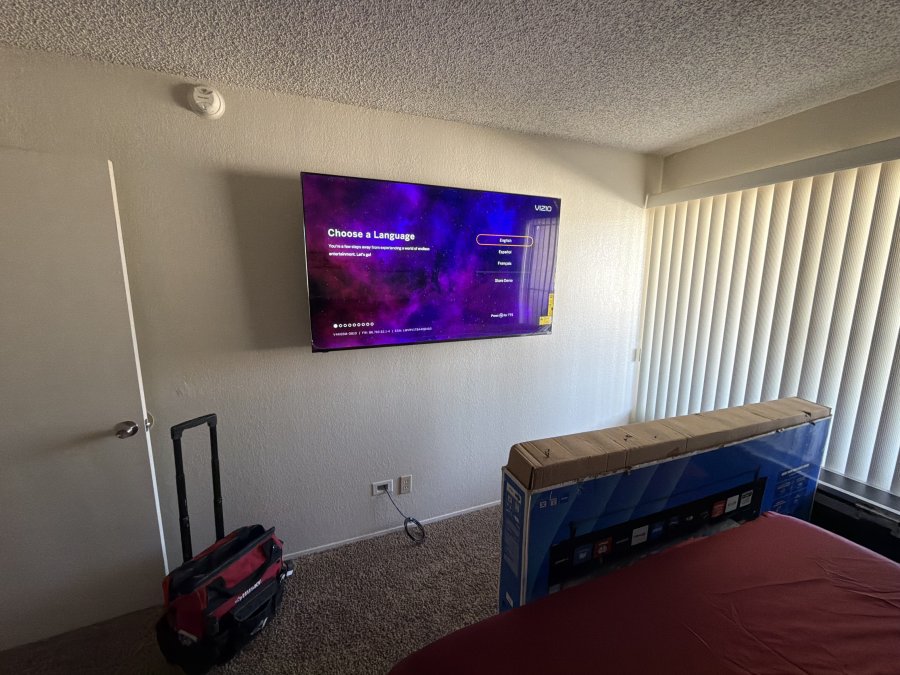
- TV mounting with in-wall cable concealment for power and signal (line-voltage outlet work by a qualified electrician if no outlet exists behind the display)
- A soundbar or a compact 5.1 system with wireless or short-run rear speakers
- A single network drop or Wi-Fi optimization for streaming
- Basic setup and input configuration
Assumptions: existing drywall, accessible attic or crawlspace, no acoustic treatment. This is the lowest-complexity tier and the one most homeowners actually need.
Scenario 2: Dedicated media room. The goal is genuine surround immersion in a room used primarily for movies, sports, and gaming. Typical inclusions:
- A 5.1.2 or 7.1 surround system with in-wall and in-ceiling speakers
- A receiver or processor with room correction, plus calibration
- In-wall HDMI and speaker wiring with spare conduit
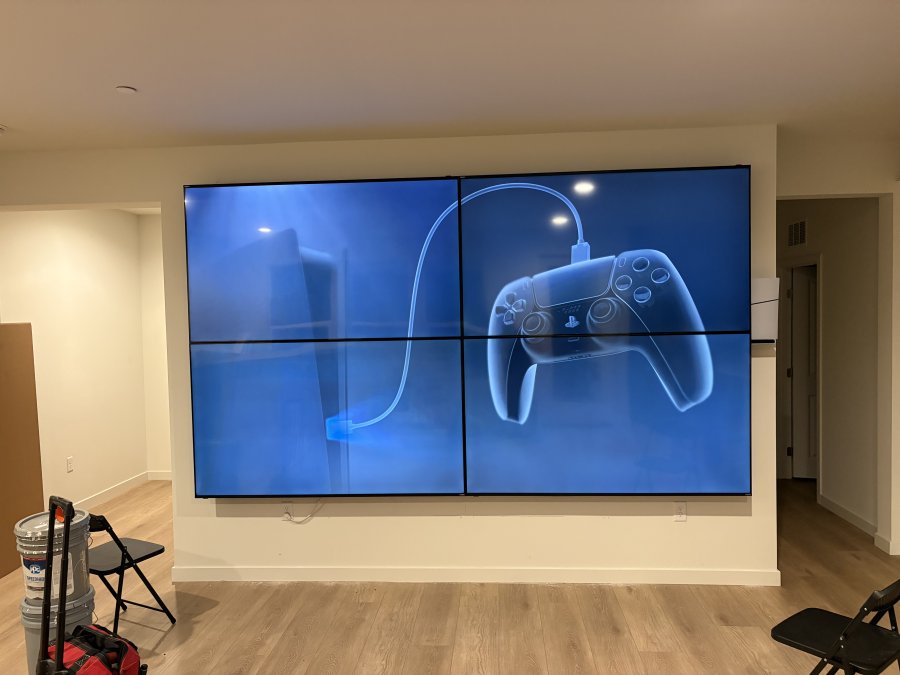
- A projector and screen, or a large-format display
- Light acoustic treatment: absorption at first-reflection points and bass control in corners
- A media rack or closet with ventilation and a network drop
Assumptions: room is already finished; some patching and paint touch-up expected; no structural work. This tier is where wiring planning and speaker placement precision matter most.
Scenario 3: Purpose-built cinema. The goal is a room designed around the system. Typical inclusions:
- Full Atmos layout (7.1.4 or larger) with multiple subwoofers
- Dedicated amplification and calibration by a qualified technician
- Sound isolation measures: resilient channel, insulation, solid-core doors, and sealed penetrations
- Acoustic design: absorption, diffusion, and bass trapping specified for the room
- Riser construction for second-row seating and dedicated HVAC considerations
- Rack, power management, and control system
Assumptions: new construction or major renovation; an electrician and possibly a general contractor are part of the project. This tier is a construction project as much as an AV project, and budgets should be planned accordingly.
| Project Scope | Typical Room | Key Inclusions | Main Cost Drivers |
|---|---|---|---|
| Living-room upgrade | Existing living room | TV mounting, cable concealment, soundbar or compact 5.1, basic setup | Wall access, outlet availability, equipment tier |
| Dedicated media room | Finished bonus or media room | 5.1.2/7.1 in-wall system, receiver, calibration, projector or large display, light treatment | Speaker count, wiring runs, calibration time |
| Purpose-built cinema | New or renovated dedicated room | Full Atmos, multiple subs, sound isolation, acoustic design, riser, control | Construction scope, acoustic design, equipment tier |
Cost per square foot, use with caution. Some guides quote a per-square-foot figure for theater rooms.
Ongoing costs to plan for. Installation day is not the end of the budget. Reasonable planning includes:
- Calibration refresh after major furniture or room changes
- Replacement cycles for projectors (lamp or laser modules) and AV receivers as standards evolve
- Cable capacity left in place for future upgrades
- Cleaning and maintenance of projector filters and ventilation
If you are unsure which scenario fits your space, All Around Technologies LLC can walk your room, confirm what is feasible, and outline the inclusions at each tier before any work begins.
Getting an Accurate Installation Quote
A solid quote helps you understand what you're paying for and compare options fairly.
What to ask installers before booking prevents surprises and ensures you're comparing apples to apples. Request a detailed breakdown of equipment, labor hours, cable and materials, acoustic treatment, and additional services.
Ask about your room's specific challenges: structural obstacles, difficult wiring paths, or acoustic issues.
Itemized estimates matter. A quote should break down what you're paying for, not just a lump sum, so you can understand value and decide where to invest more or less.
Home theater installation involves more moving parts than most homeowners expect, and costs reflect that complexity.
If you're ready to move forward with professional installation, All Around Technologies LLC specializes in home theater setups throughout the area.
Frequently Asked Questions
What is the typical cost to build a home theater system in 2026?
Home theater installation cost depends on scope and equipment choices. A basic media room with a TV and soundbar runs lower than a dedicated theater with projector, screen, surround sound, and acoustic treatment. Equipment-only costs differ from labor-intensive installations. For an accurate estimate tailored to your space and preferences, we recommend getting a quote from a professional installer who can assess your room and needs.
How much does home theater wiring cost to install?
Home theater wiring cost varies based on cable runs, wall construction, and whether you choose in-wall or surface-mounted options. Concealed wiring requires more labor but delivers a cleaner look. Low-voltage cables like HDMI and speaker wire can be run inside walls when done properly. A professional installer can evaluate your layout and provide a detailed estimate for your specific installation.
Is it cheaper to install a home theater system yourself?
DIY installation saves labor costs but carries risks. Professional installers handle proper cable routing, speaker calibration, acoustic treatment, and system configuration, work that's difficult without experience. Mistakes can affect sound quality, create safety hazards, and lead to costly repairs. Many homeowners find professional installation worth the investment for reliable performance and peace of mind.
What should I ask a home theater installer before booking?
Ask about their experience with your room size and equipment brands, whether they provide itemized estimates, what's included in labor, and how they handle wiring (in-wall vs. surface-mounted). Request details on speaker placement strategy, acoustic considerations, and post-installation support. Ask about timeline and any room preparation needed. A reputable installer will answer these clearly and provide references.